

See Medistat in action
See how doctors can prepare for visits and how patients can use the tools their practice enables. These examples use fictional records.
Inside the doctor workspace
Numbered highlights from the fictional browser demonstration.
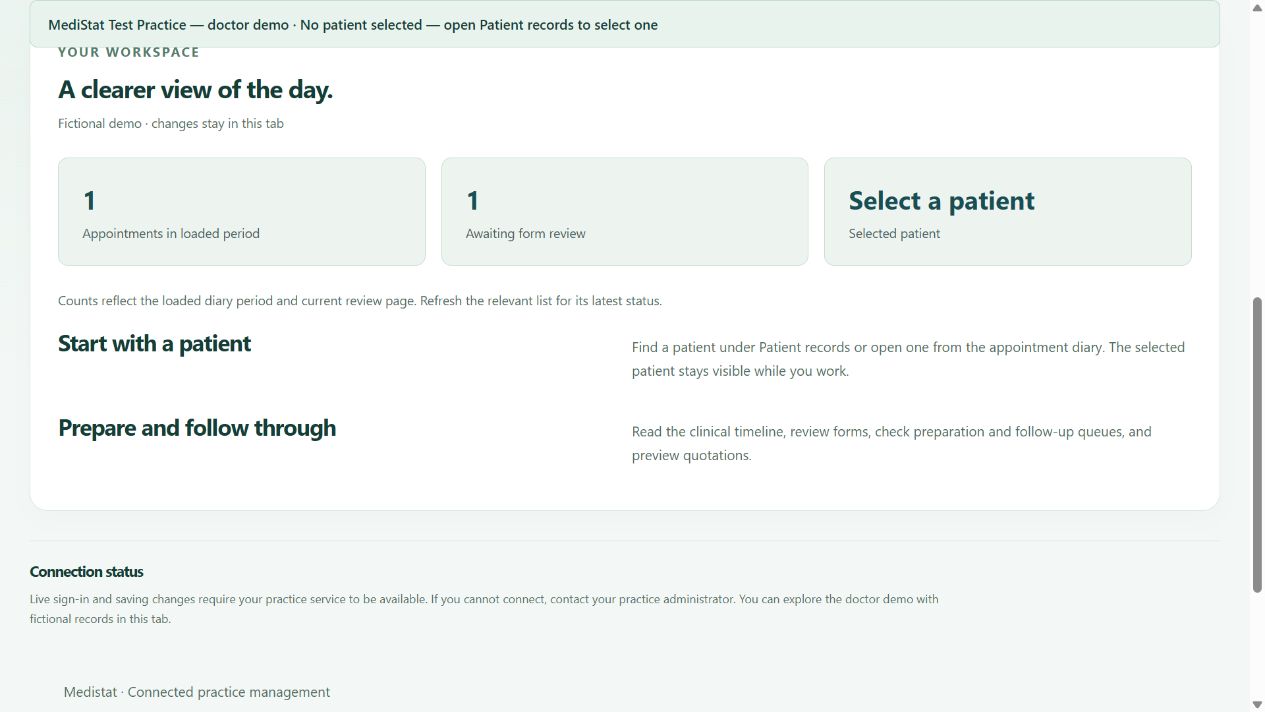
- Loaded appointments
This count describes the diary period currently loaded; refresh the relevant list for its latest status.
- Forms awaiting review
The overview summarises the current review page. It is not a count of every record in the practice.
- Patient context
Select the correct patient before working with patient documents and preparation tools.
Inside the patient workspace
Numbered highlights from the fictional browser demonstration.
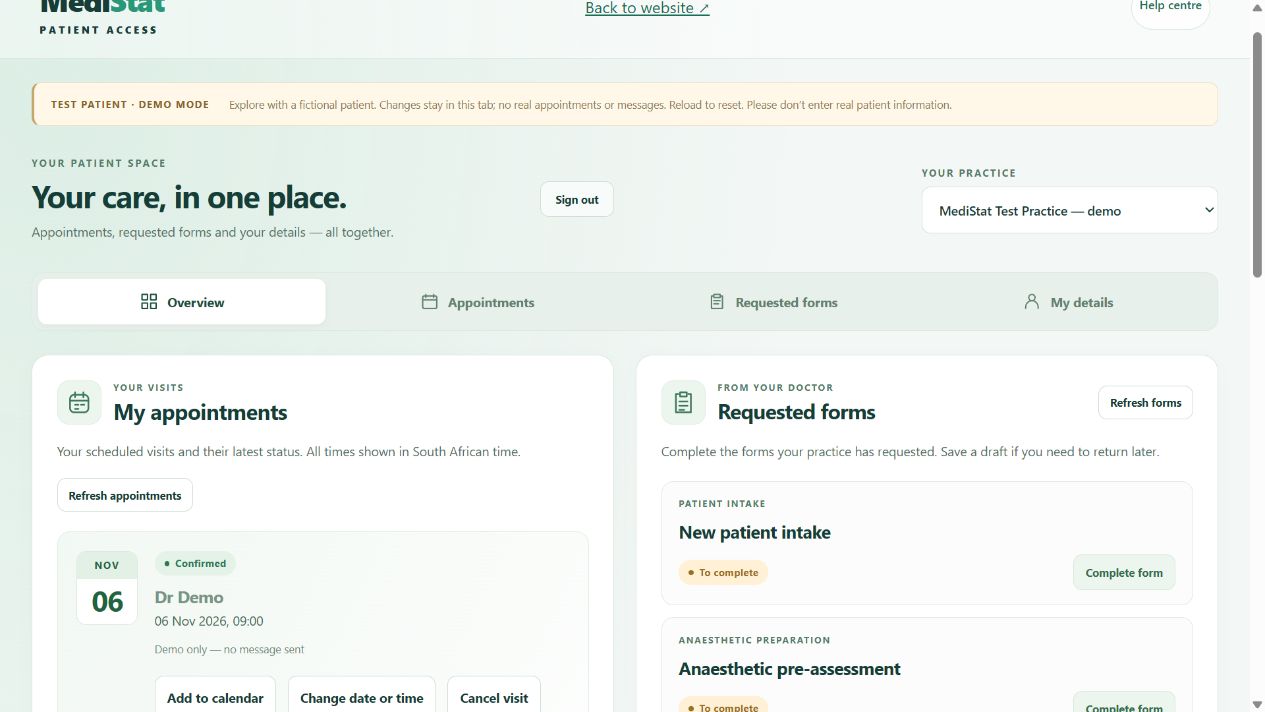
- Your linked practice
Check the selected practice before using its appointments or requested forms.
- Choose your task
Move between overview, appointments, requested forms and your details.
- Appointment status
Check the returned status of each visit. A demo status does not confirm a real appointment.
Explore the demo in three steps
Choose your workspace
Open doctor access or patient access from the preview above.
Open the fictional demo
Choose Open doctor demo or Open test patient. No real account is needed.
Explore safely
Use only fictional information. Demo changes stay in the tab and reset on reload.
Which workspace fits your task?
| Task | Browser tools | Medistat practice software |
|---|---|---|
| Appointments | Selected doctor diary tools and enabled patient booking. | Practice diary and reception workflows. |
| Clinical work | Selected patient documents, questionnaire review and timelines. | Clinical capture and final review where required. |
| Financial work | Selected quotation and reporting tools. | Final posting, payments, journals, statements and connected claims workflows. |
| Staff administration | Only tools explicitly enabled for browser access. | Permission-controlled administration and staff workflows in the installed release. |
Availability depends on your installed version, permissions and connected services. Ask Medistat to demonstrate the workflows you need.
Discuss your practice’s needs
Ask our software team about availability, installation and a demonstration.
Call 011 854 8012. Contact your healthcare practice for appointments, patient accounts or medical advice.